![Ivet-Logo_1.png]](https://trainerportal.ivet.edu.au/hs-fs/hubfs/Ivet-Logo_1.png?height=45&name=Ivet-Logo_1.png)
Maintaining Your Professional Development (PD)
Your Professional Development (PD) log can also be found in your Trainer Dashboard and Account Settings.
From Account Settings area
Select PD Logs from the left-side menu.
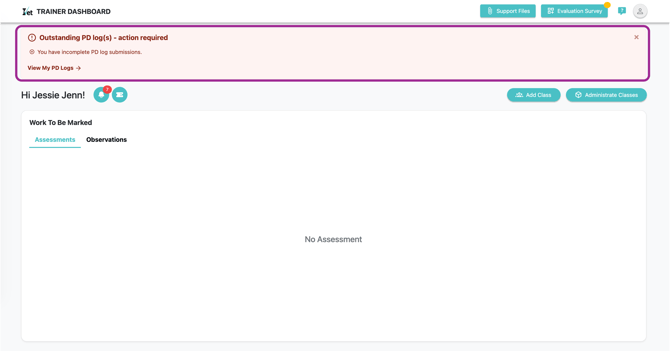
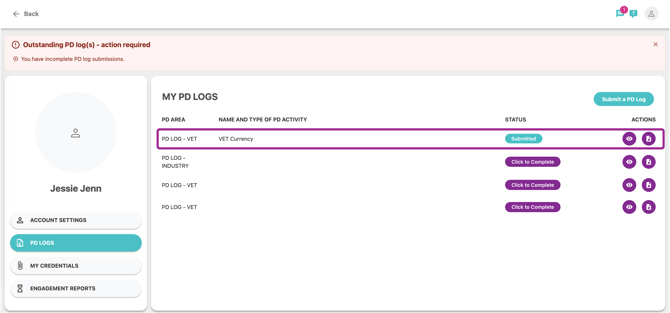
You will be notified if you are holding PD log(s) need to be submitted as shown above and below.
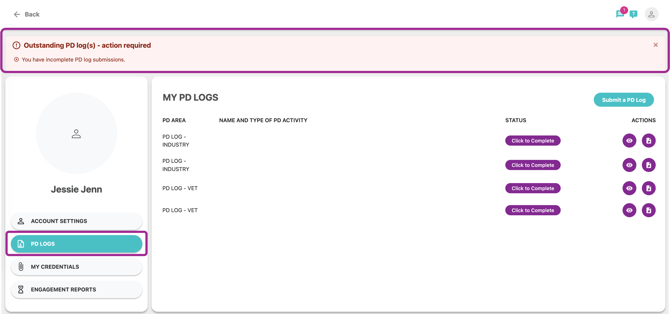
In this area, you can submit a new PD log, edit and view any previously submitted entries, as well as export your entire history.
Submit a PD Log
To create a new log, click on Click to complete. The following screen will appear, where you will need to fill out the required sections.
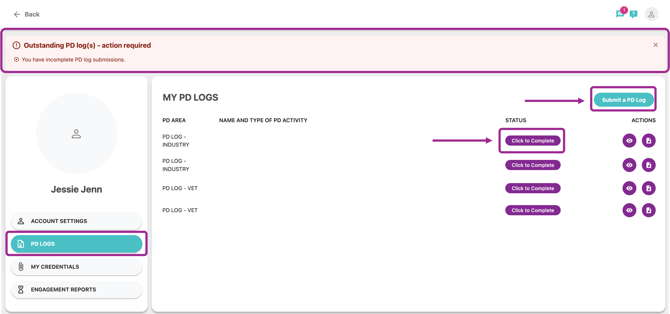
Note: "Click to Complete" button to submit your required PD log(s). In case, you are wishing to submit other PD log(s), please refer to click "Submit a PD Log"
This will lead you to new submitting page
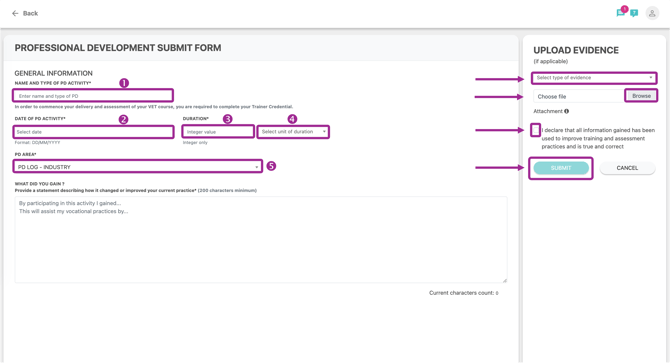
The left side is all about what you did when it happened and what you gained. Please fill in all required information fields:
- Name and type of PD Activity
- Date of PD Activity
- Duration (Integer only)
- Select unit of duration
- Choose appropriate PD Area
You can not submit your PD log if you provide a statement under 200 characters.
After filling out these area, please refer to the right side has an upload option, where you can attach evidence of your PD submission.
- Select type of evidence
- Upload your file
- Confirm that you declare all information is correct
- Click "Submit"
This screen will appear after you finish submitting.
Your PD log(s) will be reviewed by IVET Admin Team, forms' statuses shown as below
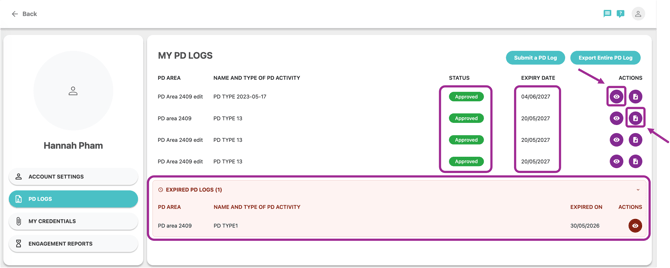
Note: Expired PD logs will also be shown in the bottom.
If you need to edit a submitted entry, simply click on the Pencil icon.
To view a submission, click on the Page icon to open.
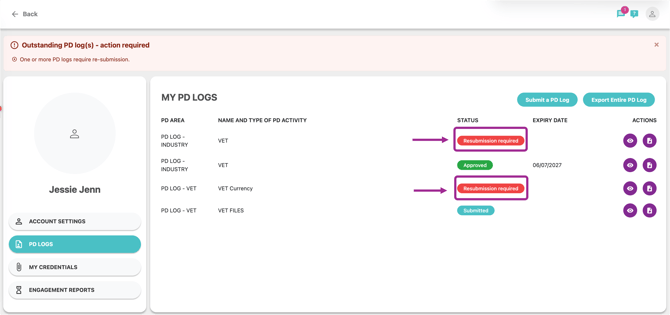
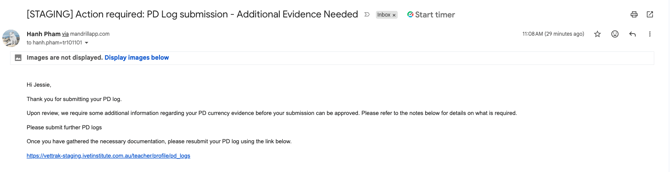
If your PD log(s) are in "Resubmission required" status, you will receive a resubmission required email.
From Trainer Dashboard
To create a new log, click on Click to complete. The following screen will appear, where you will need to fill out the required sections.
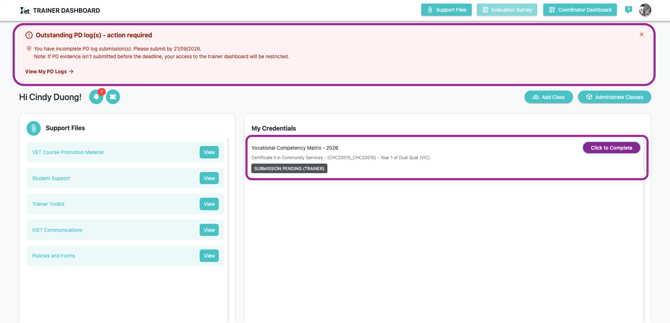
Click Save & Next
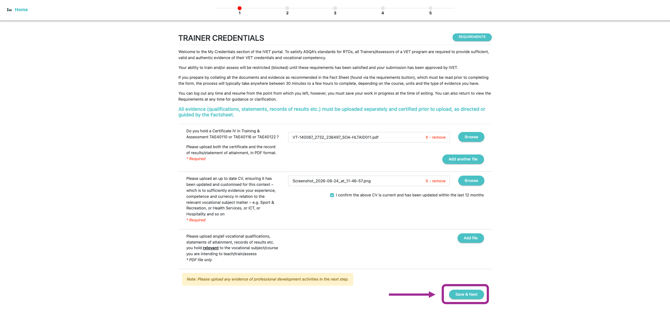
PD Forms need to be completed will be shown as below
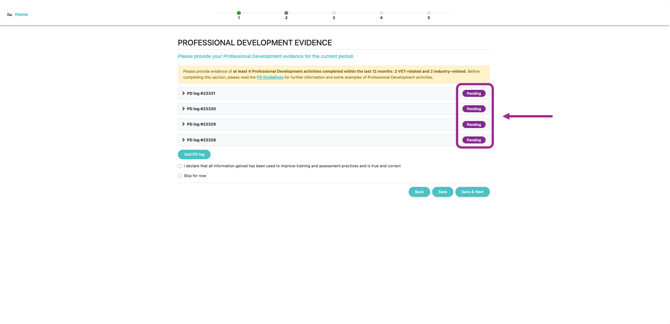
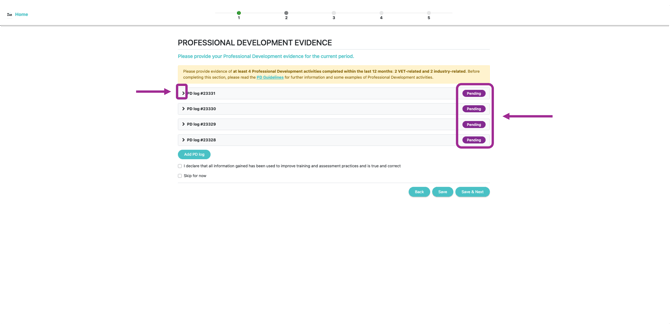
Click the right chevron to expand the form then complete it
The left side is all about what you did when it happened and what you gained. Please fill in all required information fields:
- Name and type of PD Activity
- Date of PD Activity
- Duration (Integer only)
- Select unit of duration
- Choose appropriate PD Area
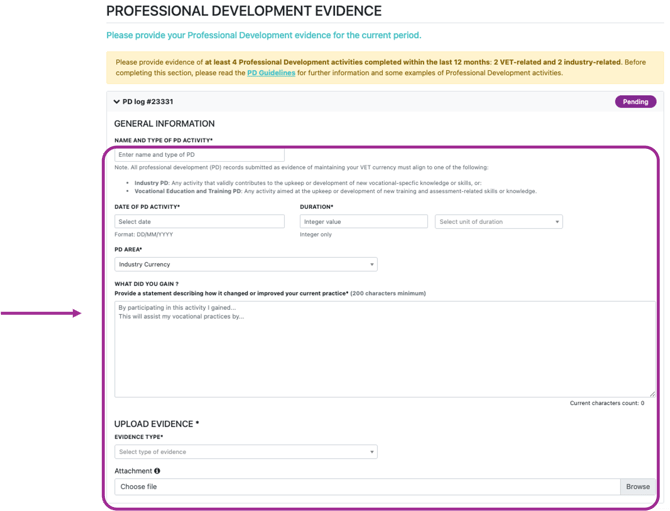
After filling out all this required information, tick the box to finish.

If you wish to skip this at the moment, tick the box "Skip for now"

Note: IVET Portal will automatically send you a reminder 4 weeks after you click “Skip for now.” At that point, you will be required to submit your PD logs. If you do not submit them, your access to the Portal will be restricted.
You will be required to enter the reason for skipping. Then, click Save & Next
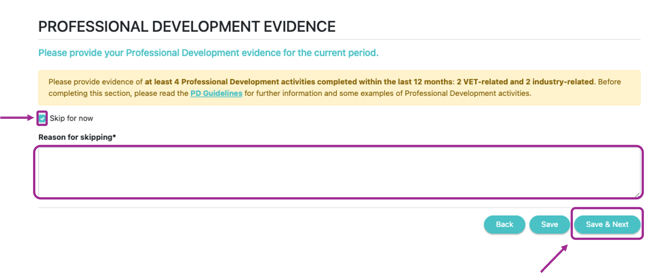
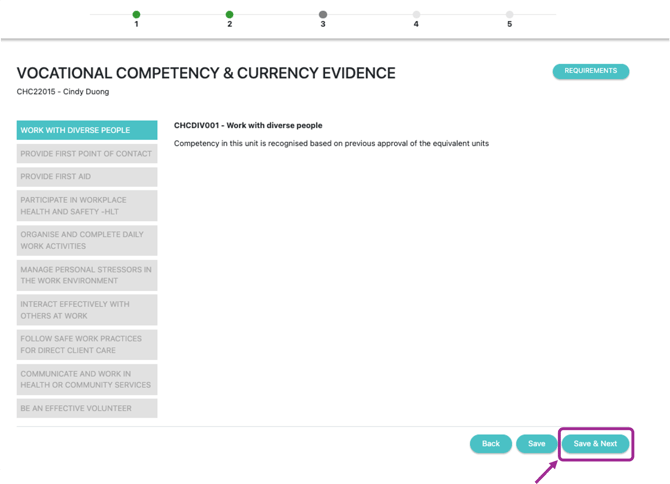
Click Save & Next
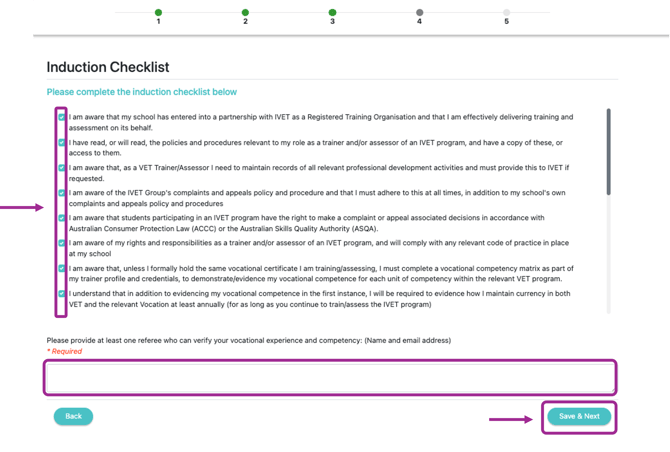
Please fill in the referee who can verify your vocational experience and competency as below
Then, click Save & Next
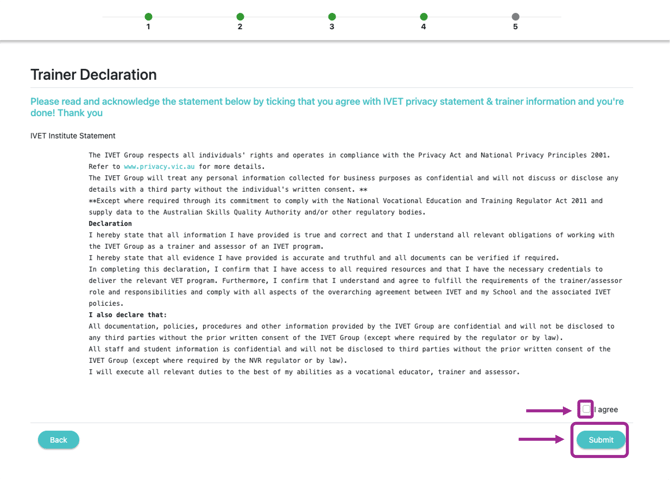
You will be led to declaration page, tick Agree then click Submit
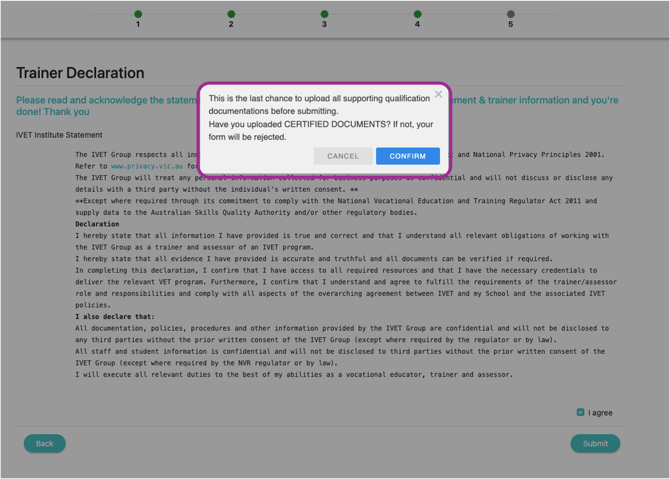
Click Confirm to confirm you have uploaded certified documents
You finish!
